



 Back to index
How to connect ChatGPT to online-billing-service.com
Through the MCP connector, ChatGPT answers questions about your invoices, clients and payments using the data in your online-billing-service.com account. It works in Deep research too, which gets two extra read-only tools.
You need:
- a ChatGPT subscription that allows custom connectors (the free plan has no such section);
- an online-billing-service.com subscription that includes the integration.
Step 1: copy the MCP URL
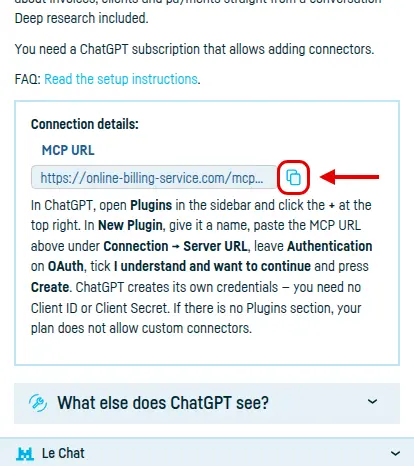
Open Integrated services → ChatGPT and click Copy, next to MCP URL.
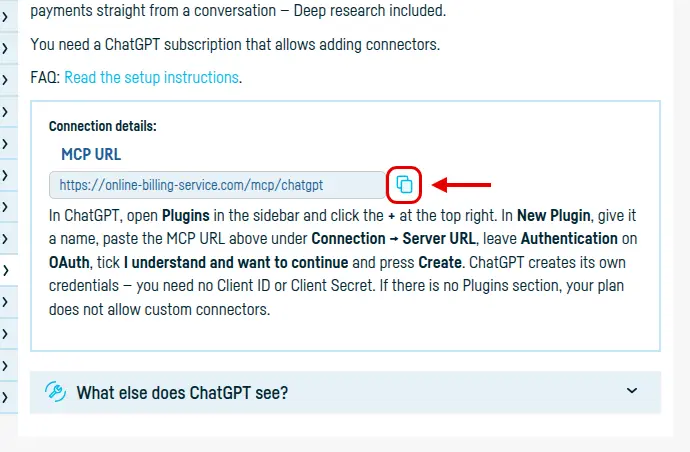
You need no Client ID and no Client Secret: ChatGPT creates its own credentials.
Step 2: open Plugins in ChatGPT
In the ChatGPT sidebar go to Plugins and click +, at the top right. (In older versions the same section was called Apps & Connectors, or Connectors.)

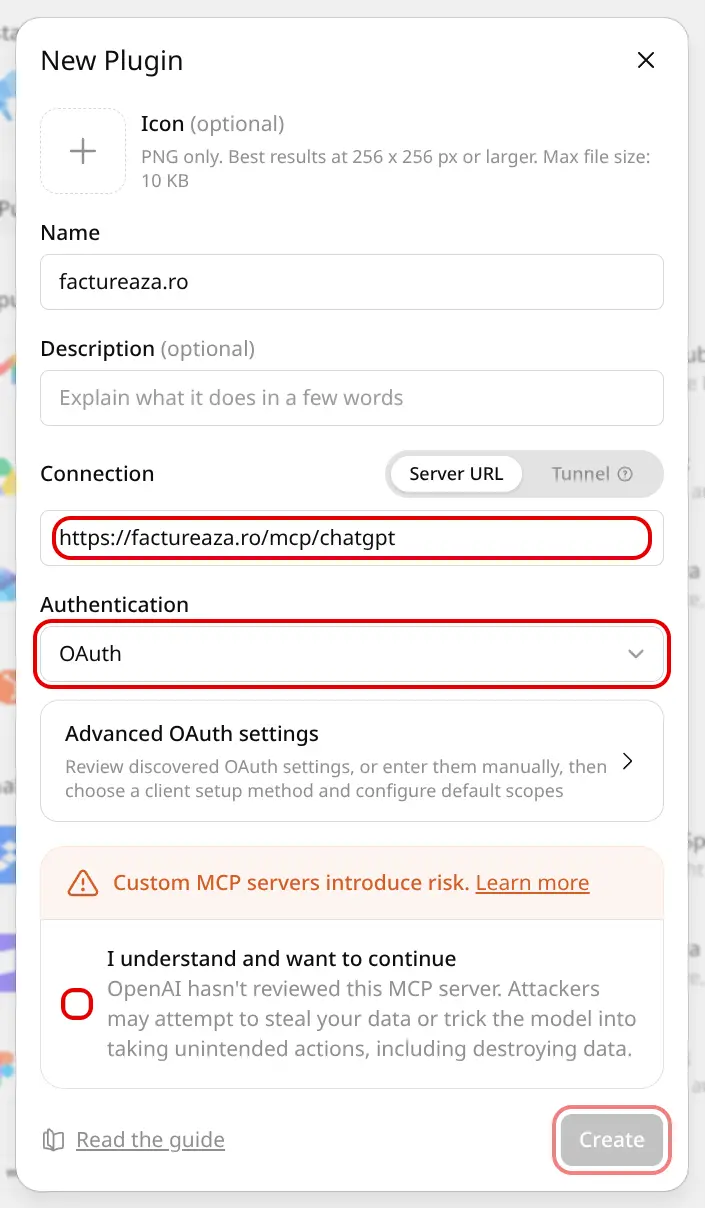
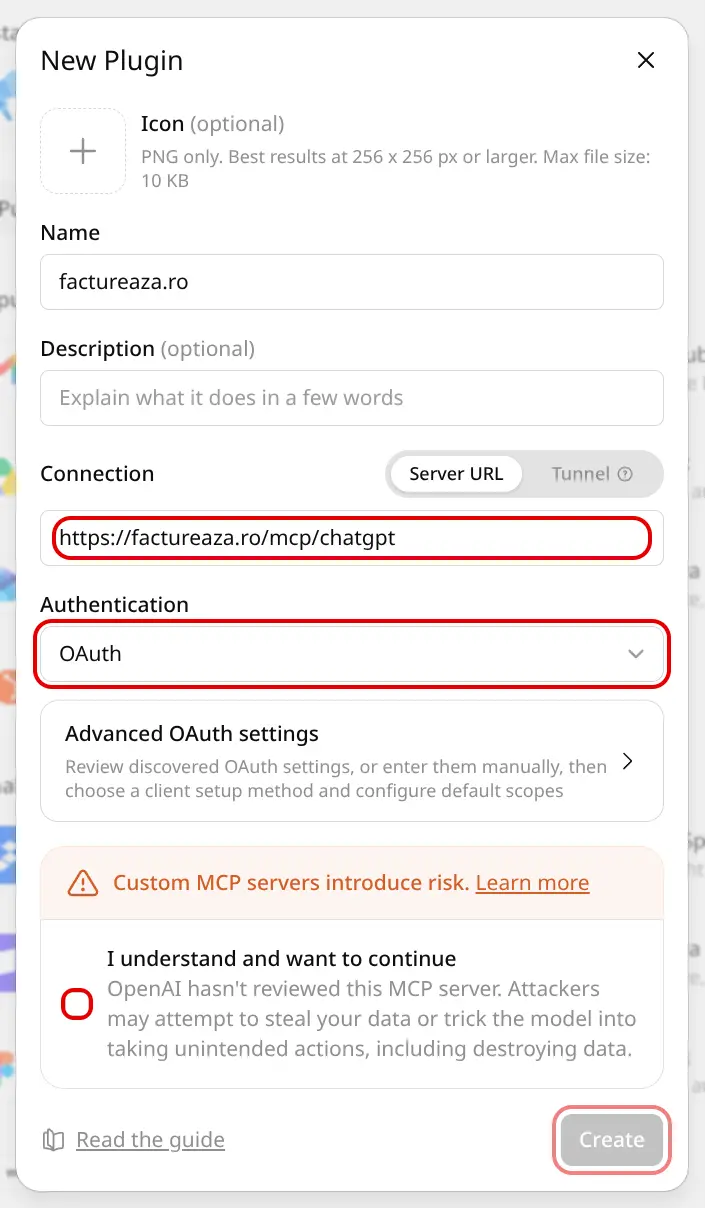
Step 3: fill in the New Plugin dialog
- Name: anything you like, online-billing-service.com for instance;
- Connection → Server URL: the address you copied in step 1;
- Authentication: leave it on OAuth;
- tick I understand and want to continue and press Create.
Step 4: authorise access
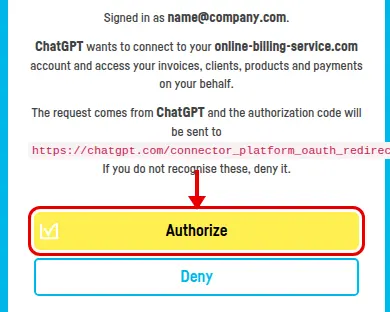
ChatGPT sends you to an online-billing-service.com page showing which account you are signed in as and what it is about to reach. Press Authorize.

Done
The plugin appears among the installed ones and you can use it in conversations. You can end the access at any time from online-billing-service.com, with Disable integration.
Back to index