



Online invoicing and online payment (Stripe)
Online card payment is among the safest and most efficient methods of collecting invoices
Online card payment of invoices works through a payment link which is inserted in the invoice PDF that you can then email or message to your client.
In other words, regardless of whether you have an online store or not, or whether you sell products or services on the Internet, you can still give your customers the option to pay invoices online with a card.
There are plenty of benefits
- Faster collections: an online card payment is simpler than a bank transfer or a cash payment.
- Fewer errors: for an online card payment, the client won't need to fill in details like IBAN and bank information, as required for bank transfers
- Avoid relatively high bank fees for international collections.
- Payments are automatically recorded on the documents paid through the payment link.
- You make your customers' lives easier.
If you have an account with us, you can take full advantage of our automated solution for invoice collection through Stripe.
Here’s what you need to do
Firstly, you'll need to open an account for your company with Stripe.
Heads up! All online payment processors will apply their own fees. Read the contract details carefully to know how much each collection will cost you (note that in the EU you generally may not add a surcharge for consumer card payments — factor this cost into your prices instead).
After you've opened an account with Stripe, it's time to activate the integration in your account on Online-billing-service.com. Here’s how you can do that.
Once the integration is active, you can set up your account so that:
- a payment link appears on any invoice, proforma, or order issued through Online-billing-service.com
- the same payment link appears in the email accompanying the invoice, or in any subsequent notifications related to that specific invoice.
Here are two invoice templates that include a payment link:
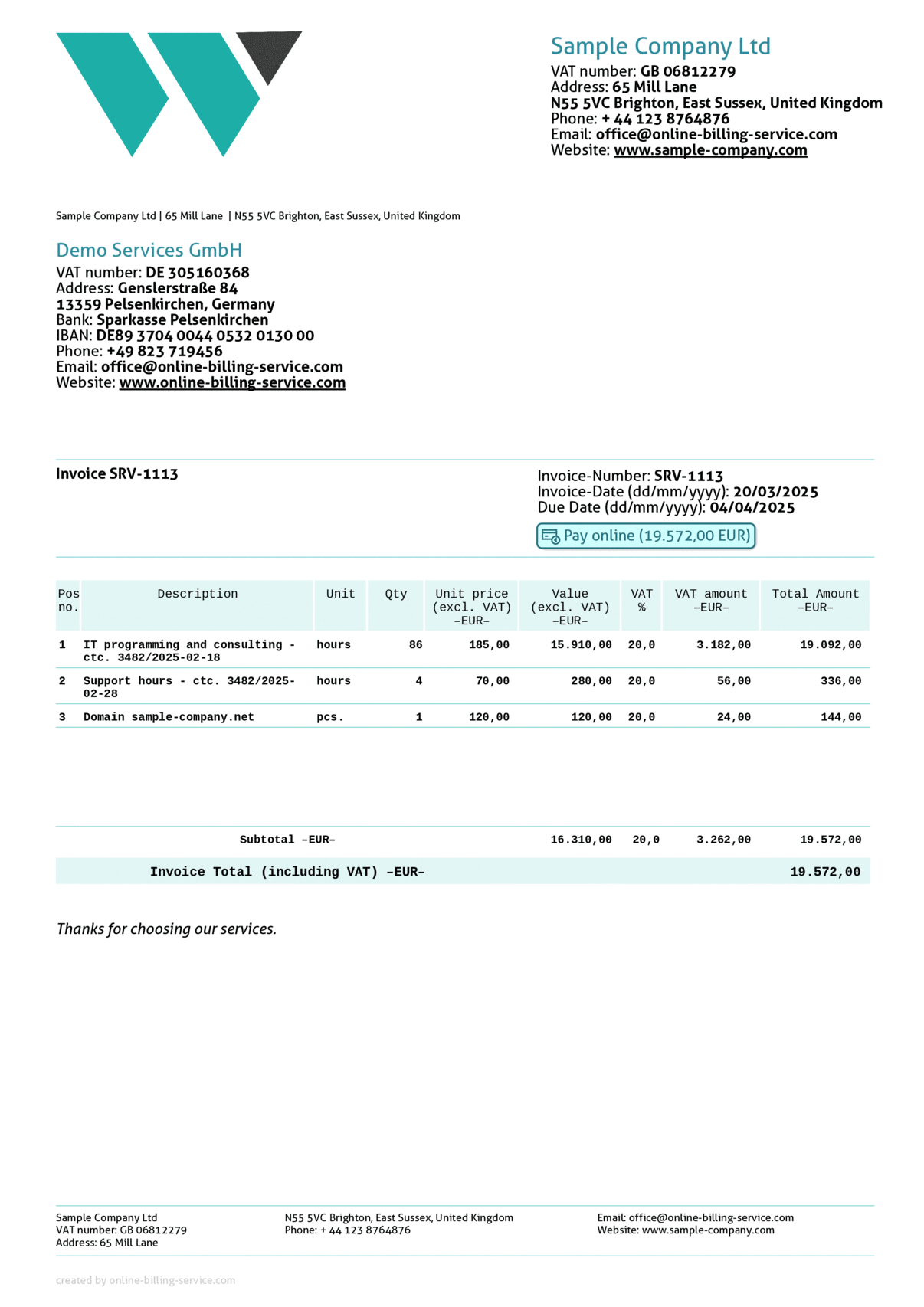
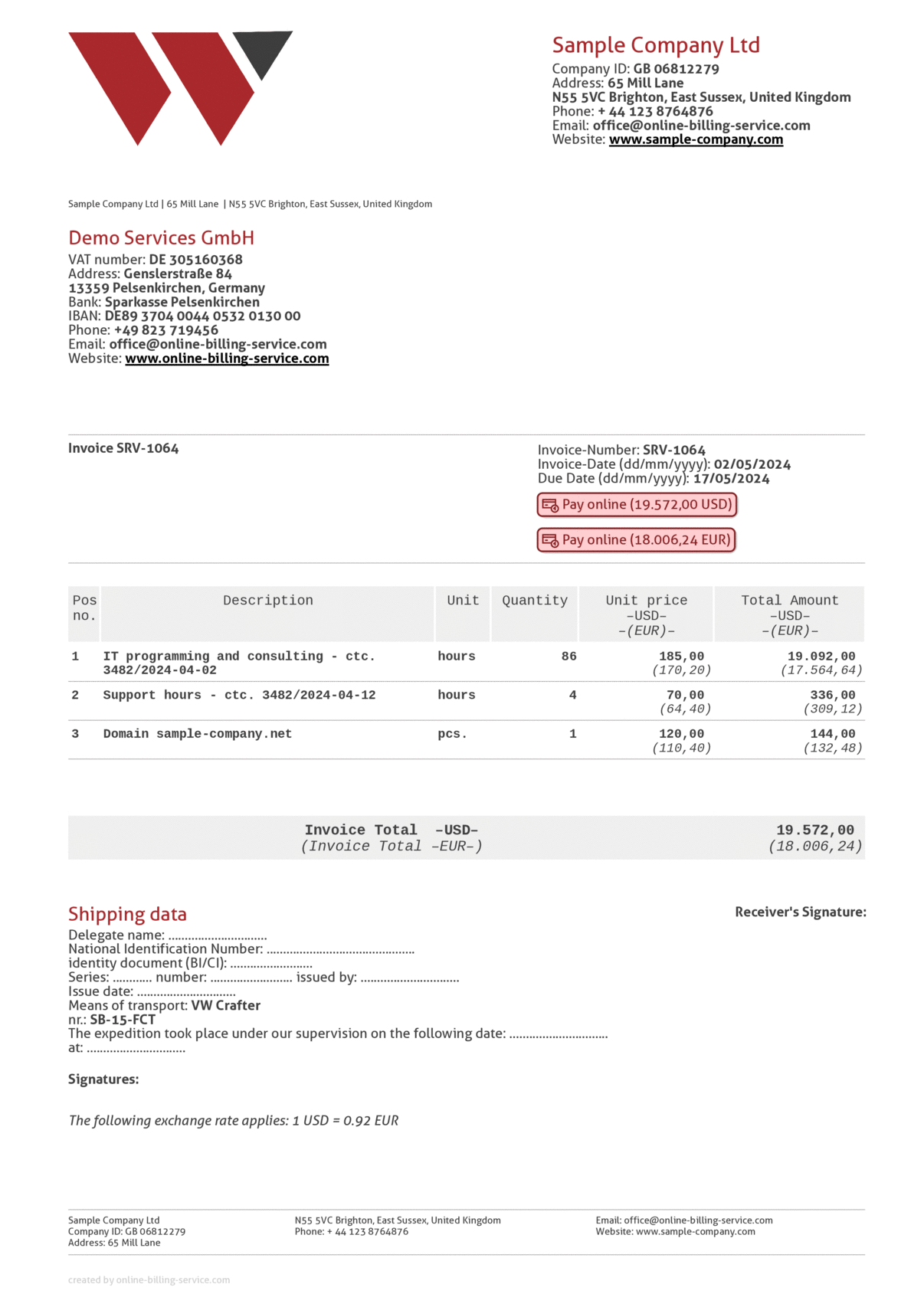
That's it, from now on, your customer can pay your invoices online with a card by clicking on the payment link. This link will take them to the payment processor's page where, using their card, your customer will securely pay the invoice.
After the payment, the collection is automatically recorded on the invoice, the invoice is closed, and the payment confirmation is automatically sent to the client via email. No further intervention or hassle. It's that simple.
And we’ve got another time-saving automation for you. You can set up Online-billing-service.com so that whenever a collection is recorded on an order or a proforma, the application automatically generates an invoice from that collection. Here's the entire process in short:
- You issue and email a proforma (or an order) to the client
- Since you've previously activated your Stripe integration, the proforma (or the order) already includes a payment link.
- Your client pays the proforma (or order) using the payment link.
- Automatically, a payment confirmation is sent to the client.
- Automatically, the collection is associated with the proforma or order.
- Automatically, the proforma or order is closed.
- Automatically, an invoice is generated from the collection.
- Automatically, the invoice is emailed to the client.
- Automatically, the invoice is closed, and the collection is associated with the invoice (you can choose whether to associate the collection with both the invoice and the proforma/order or just the invoice).
All you have to do is set up all these options in the application once. After that, Online-billing-service.com does all the work for you.
- publishable key
- secret key
- webhook signing secret
Now follow these steps to enable the integration with Stripe.
A friendly and intuitive interface will make the intergration fast and easy.
The transfer and storage of data is encrypted.